

1. Pré-requisitos
-
Acesso a GDMS
2. Procedimento
2.1. Criar perfil:
Acesse a GDMS --> Settings --> Perfil --> Hotspot 2.0:
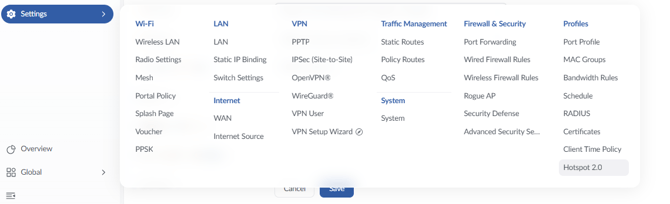
Crie um novo perfil
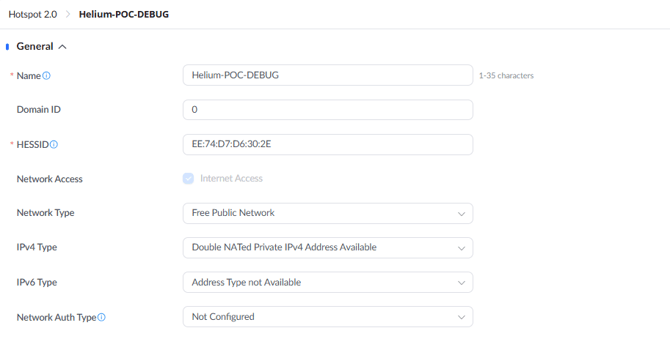
Crie um nome amigável
HESSID: EE:74:D7:D6:30:2E
Network Access: Habilitado
Network Type: Free Public Network
IPv4 Type: Doble NATed Private IPv4 Address Avaible
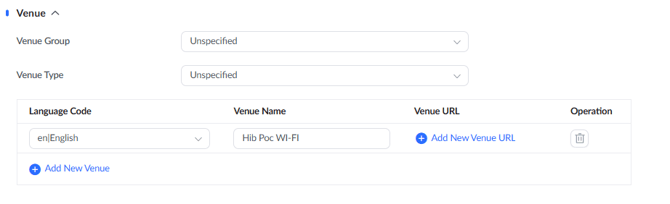
2.2 - Venue.
Language/Code: en|English
Venue Name: HiB PoC Wi-Fi
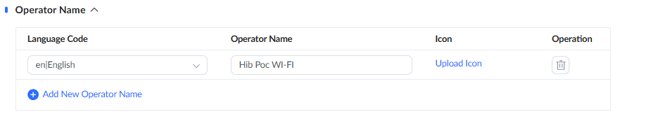
2.3 -Operator Name
Language/Code: en|English
Operator Name: HiB PoC Wi-Fi
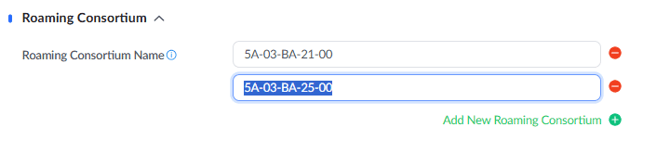
2.4 - Roaming Consortium:
Roaming Consortium Name: 5A-03-BA-21-00 e 5A-03-BA-25-00
2.5 - Domain
Domain Name: wifi.example.com, example.com e hdy.nova.xyz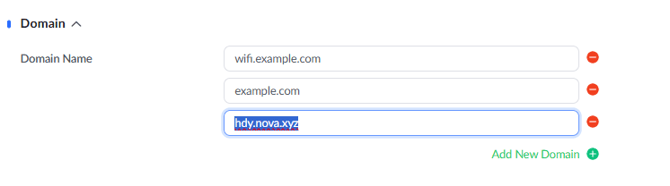
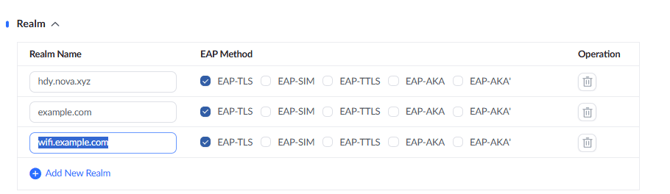
2.6 - Realm
Realm Name: hdy.nova.xyz, example.com e wifi.example.com
EAP Method: EAP-TLS
Salve as configurações.
3 Configurar RADIUS
3.1 Criar Perfisds
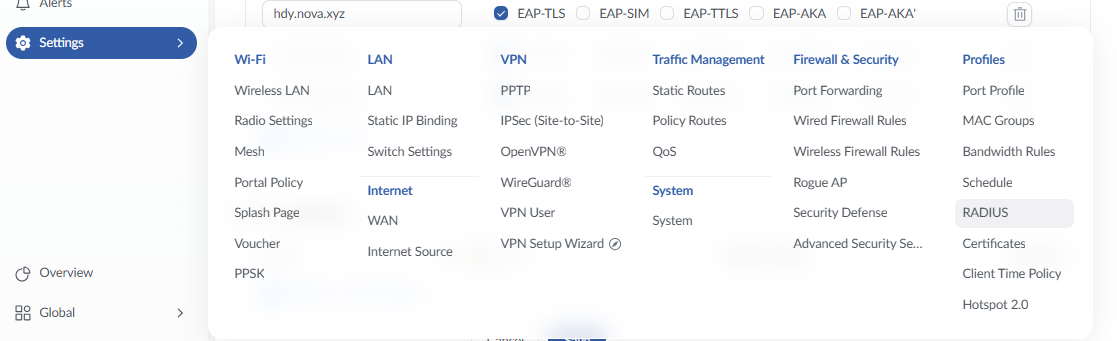
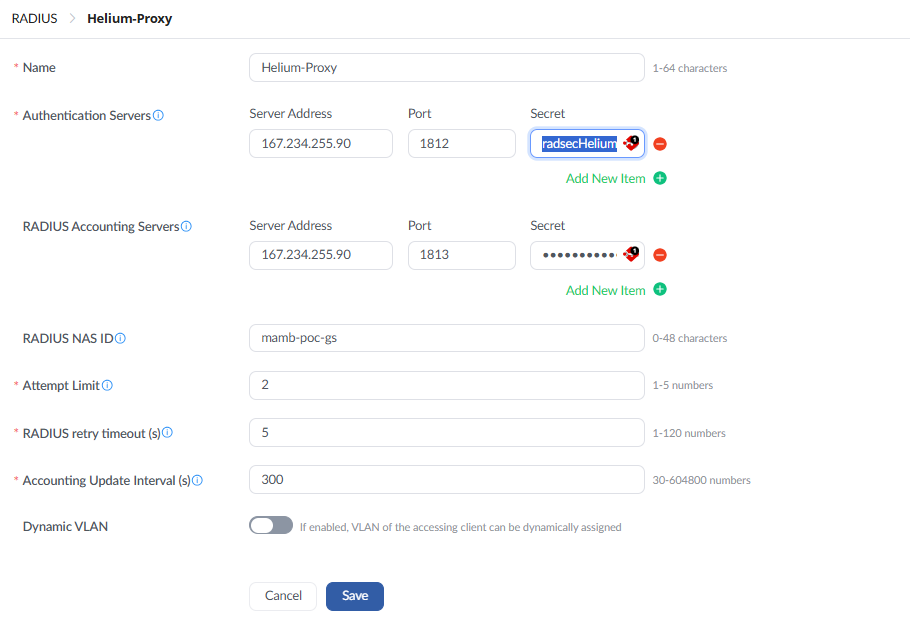
Acesse Settings --> Profile --> Radius
Crie um perfil RADIUS com um nome amigável
Authentication/Accounting Server: 167.234.255.90
Port: 1812e 1813
Secret: radsecHelium
RADIUS Nas ID: Crie um NAS Amigável
Attempt Limit: 2
RADIUS Retry Timeout: 5
Accounting Update Interval: 300
4 Aplicando ao SSID
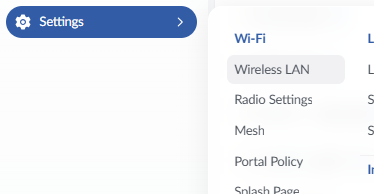
4.1 Acesse Settings --> Wi-Fi --> Wireless LAN
Edite/Crie o SSID
Na Aba Access Security:
Security Type: Enterprise
WPA Mode: WPA 2
WPA Encryption Type: AES
802.11w: Disable
Enable Hotspot 2.0: Habilitado
Hotspot 2.0 Profile: Selecione o perfil criado
RADIUS Authentication: Selecione o Perfil criado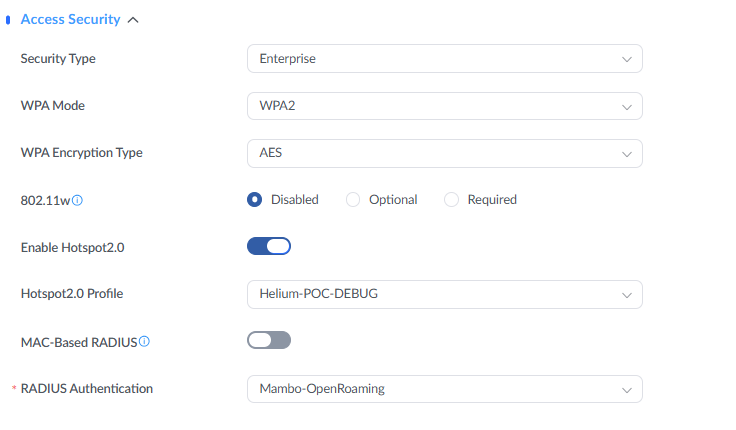
Se houver alguma dúvida ou dificuldade, você pode entrar em contato com nosso suporte através do e-mail suporte@mambowifi.com informando sua dificuldade, número de telefone para contato e URL do painel administrativo.