Ativação Antenas Gerais
1. Pré-requisitos
● Possuir internet no Fortigate
● Versão 7.4.5 e 7.2.10 tiveram mudanças nos parâmetros de RADIUS, assim não sendo possível a instalação nessas versões.
2.1 Configure o servidor RADIUS
- User & Device → Autentication → RADIUS Servers → Create New
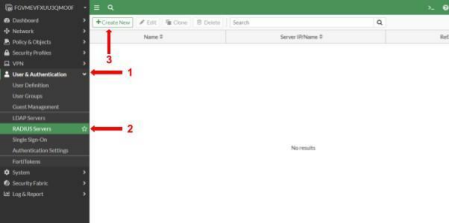
- Preencha da seguinte forma:
Nas IP: Insira o IP do equipamento.
Primary Server - IP Name: 168.138.229.153
Secret: wide$123
Secondary Server - IP Name: 168.138.226.107
Secret: wide$123
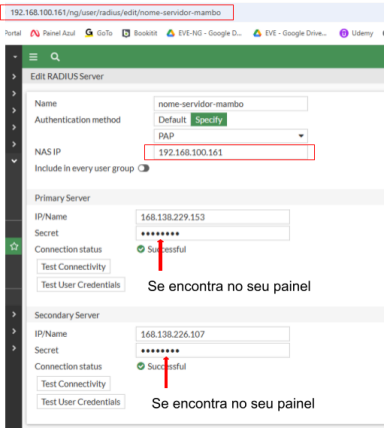
- Clique em Ok
2.2 Criando grupo RADIUS
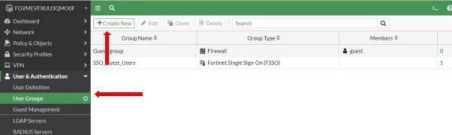
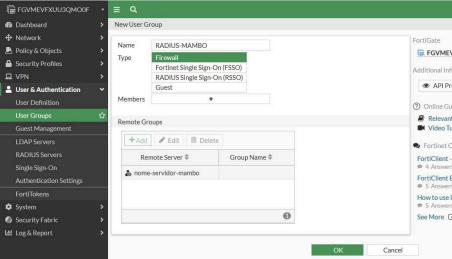
- Vá na aba User Groups, e crie um novo grupo, apontado nosso servidor RADIUS, clicando em ADD e selecionando o servidor que criamos anteriormente
-
2.3 Configurar a Interface
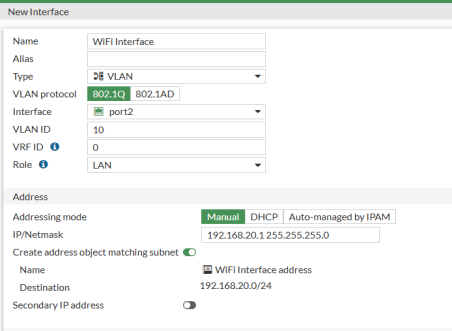
- Acesse Network → Interfaces → Create New → Interface
- Type: Vlan
- Interface: Selecione a Interface na qual os AP’s se conectam - Vlan ID: Selecione o ID da vlan que será utilizada
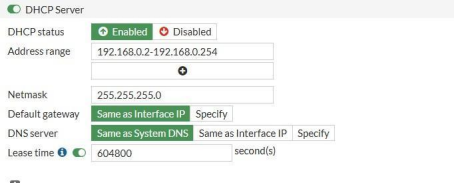
- Habilitar o DHCP Server (Se for utilizar)
- Configurar o range da Pool
- Default Gateway e DNS Server manter padrão
- Lease Time: 604800 (Ajustar para o tempo de lease desejado)
- Network
- Security Mode: Habilitado → Captive Portal
- Authentication Port: External →
http://seupainel.mambowifi.com/fortinet
- User Access: Restricted to Groups
- User Groups:
- Redirect After Captive Portal: Specific URL
→ http://seupainel.mambowifi.com/302
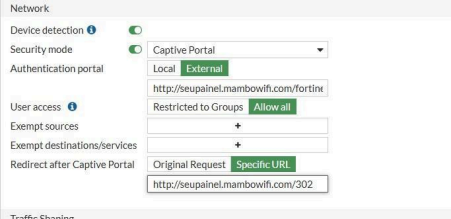
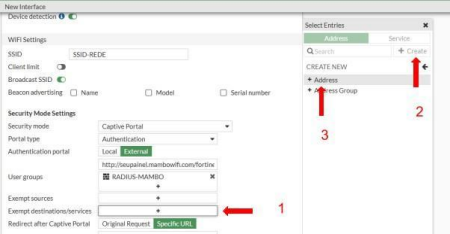
- Em Exempt Destinations/Service, clicar no “+”, em Address clique em Create como na imagem abaixo
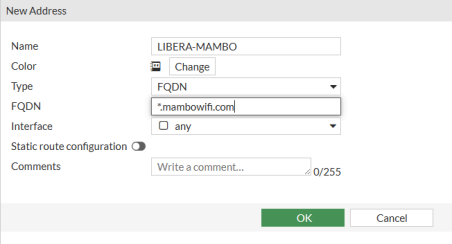
- De um nome a Regra
- Type: FQDN
- FQDN: *.mambowifi.com
- OK
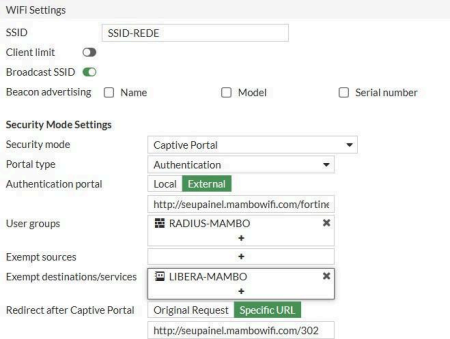
Após clicar em Ok, a interface deverá estar desta forma:
2.4 Liberando tráfego da rede
- Acesse Policy & Object → Firewall Policy → Create New

- Name: Crie um nome para a regra
- Incoming Interface: Sua interface do Hotspot
- Outgoing Interface: Sua interface WAN
- Source: Crie um address com sua rede Guest
- Destination: All
- Service: All
- Action: All
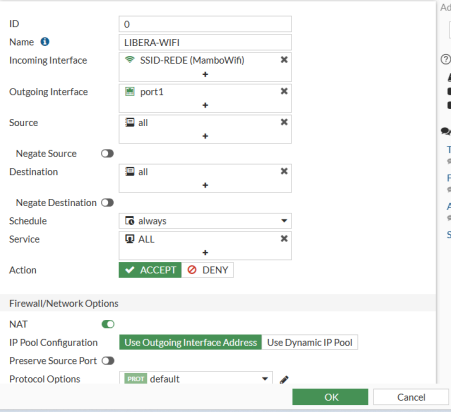
-Clique em OK
- Edite a regra via CLI, clicando em "Edit in CLI"
- Adicione a linha "set dynamic-shaping enable"
2.5 Aplicando Interim Update e removendo solicitação de Usuário no RADIUS
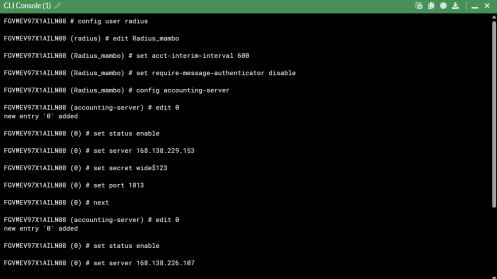
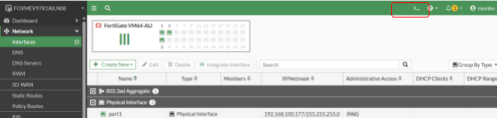
- Abra a CLI do fortinet
- Insira os seguintes comandos:
- config user radius
edit <nome do grupo criado>
set acct-interim-interval 600
set require-message-authenticator disable
set radius-coa enable
config accounting-server
edit 0
set status enable
set server 168.138.229.153
set secret wide$123
set port 1813
next
edit 0
set status enable
set server 168.138.226.107
set secret wide$123
set port 1813
next
end
end